




Table of contents
- 01What Is Cricket Auction Software?
- 02Why Do Tournaments Need Auction Software?
- 03Features the Best Software Should Have
- 04CrickHunt for Tournament Organizers
- 05How to Conduct an Auction With CrickHunt
- 06What Is Remote Bidding?
- 07Software vs. Manual Auctions
- 08Who Should Use It?
- 09How to Choose the Best Software
- 10Why Choose CrickHunt?
- 11CrickHunt Pricing and Plans
- 12For Indian Tournaments
- 13From Auction to Full Management
- 14Frequently Asked Questions
- 15Final Thoughts
The best cricket auction software is the one that runs your whole player auction in one place: live bidding, remote bidding for team owners, player and team management, auction displays for the audience, and a clear path from the auction into matches and scoring.
If you organise a local league, a corporate tournament or a box cricket event, you already know how much can go wrong on auction day. Bids get missed. Two people write down different amounts. A team owner calls in from another city and nobody is sure whether their bid counted. After the auction, someone spends the night re-typing squads into a spreadsheet.
Cricket auction software exists to fix exactly these problems. This guide explains what it is, which features matter, how a typical auction runs on CrickHunt, what CrickHunt offers and costs, and how to compare options before your next season.
Key takeaways
- Cricket auction software manages players, teams, bids and player allocation in one system.
- Live bidding and remote bidding are the two features that change auction day the most.
- Auction displays, streaming overlays and sponsor displays matter when the auction is an event in itself.
- Choose software that continues past the auction into tournament management and cricket scoring.
01What Is Cricket Auction Software?
Cricket auction software is a digital platform that helps tournament organizers manage player auctions, teams, bidding, player allocation and related tournament information.
In a player auction, a pool of registered players is offered to team owners, who bid to build their squads. Cricket auction software, sometimes called cricket player auction software or a cricket auction platform, gives the organizer one place to run that process from start to finish.
Instead of paper lists, a whiteboard and a spreadsheet open on someone's laptop, the organizer works from a single system where:
- the player pool and team list are already set up before the auction starts,
- bids are recorded as they happen,
- each sold player is allocated to the winning team, and
- squads and results are ready for the rest of the tournament.
Is it the same as a cricket auction app?
Mostly, yes. People search for a cricket auction app, online cricket auction software or a player auction software when they mean the same thing. What matters is not the label but whether the tool handles the full auction workflow, including team owners who are not in the room.
02Why Do Cricket Tournaments Need Auction Software?
Tournaments use auction software to keep bids accurate, let remote team owners take part, and move auction results straight into team squads without re-entering data.
A player auction looks simple on paper. In practice it is a fast, noisy event where several people need the same information at the same moment. The common pressure points are:
- Accuracy. Every bid, sale and allocation has to be recorded correctly, often with an audience watching.
- Speed. Large player pools need a steady pace. Manual record-keeping slows every lot down.
- Participation. Not every team owner can attend in person, especially for corporate or multi-city events.
- Transparency. Owners, players and spectators want to see who was sold, to which team and for what bid.
- Continuity. The auction is only the start. Squads feed directly into fixtures, matches and scoring.
Software does not remove the need for a good auctioneer or organiser. It removes the clerical work around them, so the people running the auction can focus on running it well.
03What Features Should the Best Cricket Auction Software Have?
When you compare a cricket tournament auction software option, check it against these ten capabilities. Together they cover auction day itself and everything around it.
Live Player Auctions
Run the auction in real time, with each player presented, bid on and sold in a clear sequence.
Remote Bidding
Let team owners bid without being at the venue, so distance does not decide who can take part.
Team Owner View
A dedicated view for team owners to follow the auction and act on it from their side.
Player Management
Keep the player pool organised before, during and after the auction, in one list.
Team Management
Set up teams and owners, then see each squad take shape as players are allocated.
Auction Displays
Show the current player and auction progress on a large screen for the room.
Streaming Overlays
Add auction information to a live stream so viewers watching online can follow along.
Sponsor Displays
Give tournament sponsors visible placement during the auction event.
Tournament Management
Organise tournaments and seasons so the auction sits inside the wider event.
Cricket Scoring
Score matches ball by ball with real-time updates once the squads are set.
Live bidding and remote bidding
These two belong together. Live cricket auction software records each bid as it is made. Remote bidding extends that to owners who are not physically present. Without both, you still end up relaying bids over phone calls and messages.
Player and team management
The auction is only as good as the data behind it. Player management keeps the pool clean and ready. Team management connects each sold player to the right squad, so nothing has to be copied across later.
Displays, overlays and sponsors
Many tournaments treat the auction as a public event, with an audience in the room and viewers online. Auction displays, streaming overlays and sponsor displays help present it properly and give sponsors visibility.
Tournament management and scoring
Software that stops at the auction leaves you to rebuild everything elsewhere. A platform that also handles cricket tournament management software needs, from seasons to scoring, keeps the whole event in one place.
04CrickHunt: Cricket Auction Software for Tournament Organizers
CrickHunt is a cricket auction and scoring platform from Surat, Gujarat. It lets organizers run live player auctions with remote bidding, manage tournaments, seasons, teams and players, and score matches ball by ball, on the web and in mobile apps for Android and iOS.
CrickHunt is a cricket-focused tournament management platform built by CRICKHUNT PRIVATE LIMITED, based in Surat, Gujarat. It is designed to replace cumbersome Excel sheets and manual tasks with one system for cricket auctions and real-time scoring.
CrickHunt describes its mission as: “To provide a seamless and dynamic platform that enhances the auctioning and scoring experience in cricket, making it more efficient, transparent, and engaging.”
Built for multi-season tournaments. CrickHunt describes itself as the first scoring and auction application designed for a single tournament with multiple seasons, like IPL or World Cups. Your tournament stays the same while each season gets its own players, teams, auction and matches.
CrickHunt features at a glance
- Live Player Auctions. Live player auctions with instant bid updates.
- Remote Bidding System. Team owners can bid from their mobile or laptop, without being at the venue.
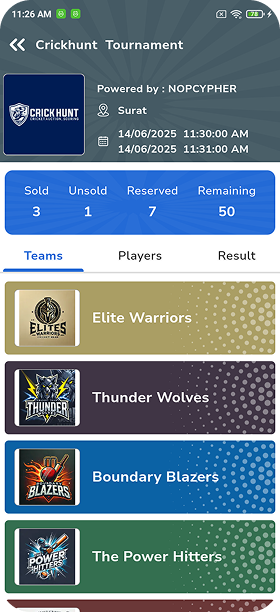
- Team Owner View. Team owners can follow the auction live on their mobiles, including points and player profiles.
- Team, Player & Squad Management. Players, teams and squads managed together for each season.
- Player Registration & Data Management. Player registration and a player database for your tournament.
- Tournament & Season Management. One tournament with multiple seasons, like IPL-style leagues.
- Ball-by-Ball Live Match Scoring. Score every delivery with real-time score updates.
- Automatic Scorecards, Leaderboards & Stats. Scorecards, leaderboards and statistics generated from the scoring.
- Live Streaming Overlays. Premium overlays for live auction and scoring streams.
- Sponsor Advertisement Display. Sponsor advertisements shown on auction screens.
- Mobile-Friendly Dashboard. Auction and scoring dashboard that works across devices.
- Customer Support. Support from the CrickHunt team when you need help.
Web platform and mobile app
CrickHunt is available as a web platform at crickhunt.com and as a mobile app for Android and iOS. Organizers manage their tournaments from the CrickHunt portal, while team owners can join the auction from their phones.
CrickHunt scoring (beta)
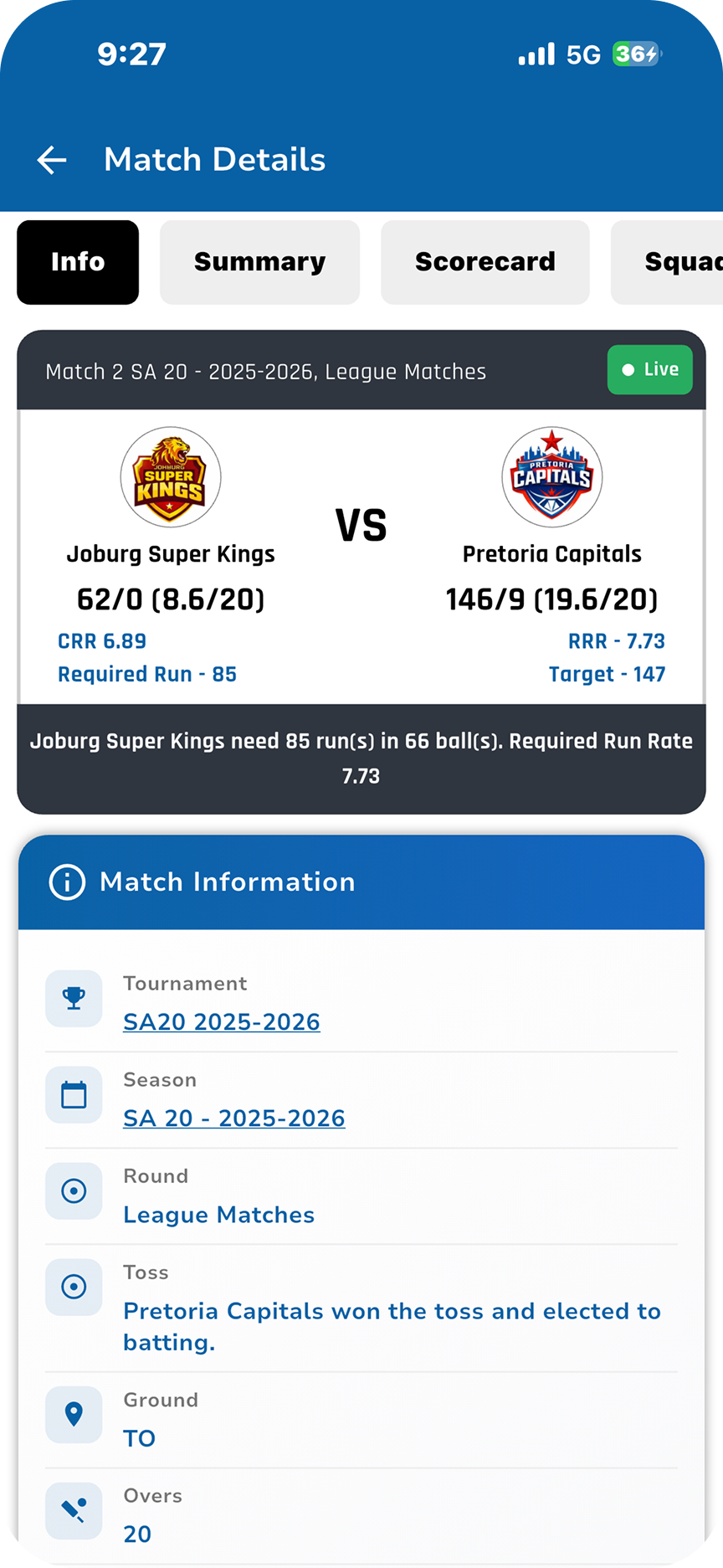
CrickHunt's scoring system, currently in beta, is described as a complete solution for cricket scoring and live TV-style overlays. It includes:
- A tournament-season based system
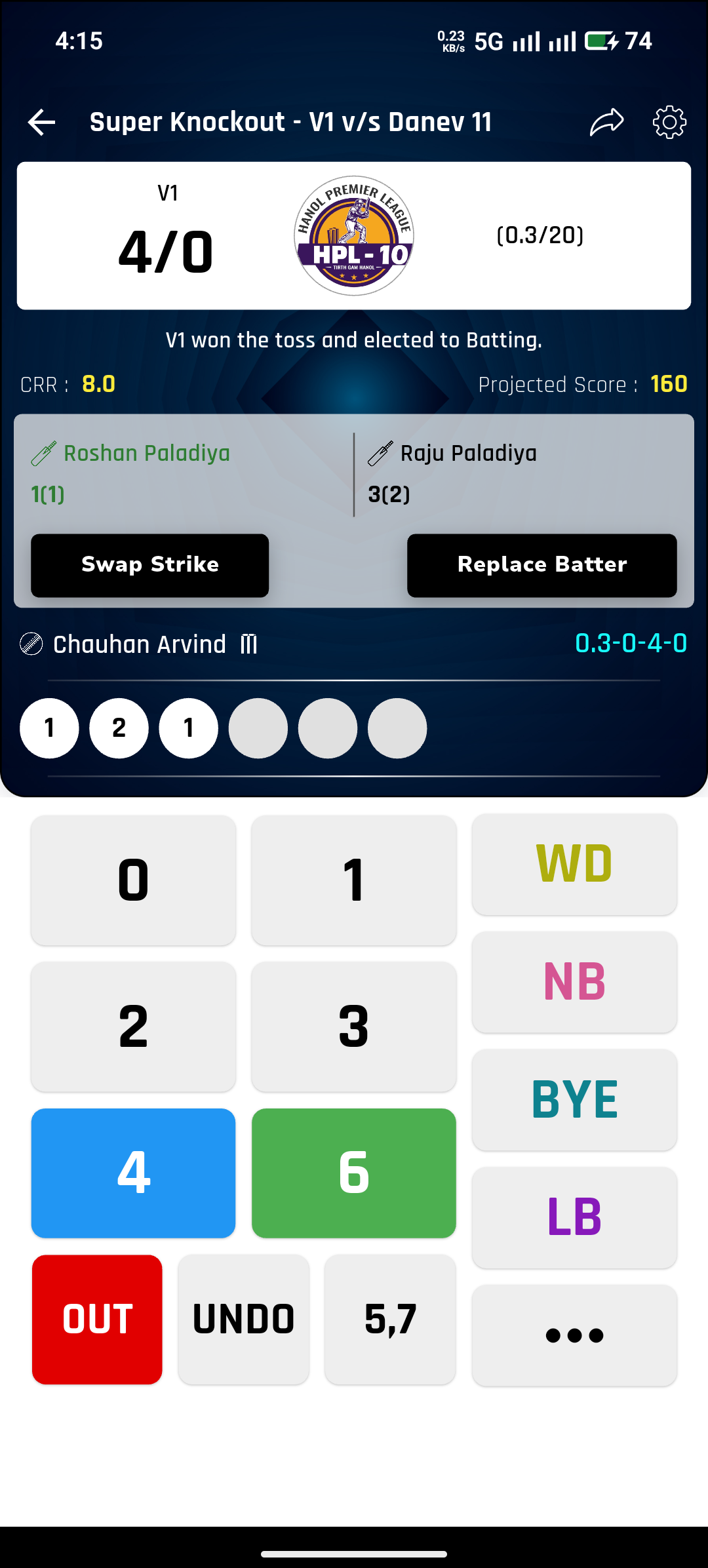
- Ball-by-ball live scoring with a fast, easy interface
- Real-time score updates and a mobile-friendly design
- Premium score overlays for live streams
- Individual matches as well as tournament matches
- Match history and statistics
You can see matches scored on the platform on the CrickHunt matches page and plan fixtures with Schedule Match.
Explore CrickHunt
05How to Conduct a Cricket Player Auction With CrickHunt
Create the tournament and season, add players and teams, set up the auction, run live bidding (with remote bidding if needed), allocate sold players to teams, then move on to matches and scoring.
The workflow below shows how a cricket auction fits into the full tournament on CrickHunt, from creating the tournament to scoring the matches.
- 1
Tournament
Create the tournament that holds your seasons, players, teams, auction and matches.
- 2
Season
Add the season or edition you are running, so this auction stays separate from past ones.
- 3
Players
Build the player pool that will be offered to team owners in the auction.
- 4
Teams
Set up each team and its owner, ready to follow the auction in the Team Owner View.
- 5
Auction
Prepare the auction for the season and decide whether owners will bid remotely.
- 6
Live Bidding
Present each player and take bids in real time, from the room and from remote owners.
- 7
Player Allocation
Allocate each sold player to the winning team as the auction moves along.
- 8
Matches
With squads in place, move the tournament on to its matches.
- 9
Scoring
Score ball by ball with real-time updates, building match history and statistics.
Step-by-step
- Create your tournament. Log in to the CrickHunt portal and set up the tournament that will hold everything else.
- Add the season. A season keeps this edition's players, teams and auction separate from earlier or later ones.
- Add players. Build the player pool that will go under the hammer.
- Create teams. Set up each team and its owner, so owners can follow the auction from the Team Owner View.
- Set up the auction. Prepare the auction for this season and decide whether team owners will bid remotely.
- Run live bidding. Present each player, take bids live in the room and from remote owners, and confirm each sale.
- Allocate players. Each sold player is allocated to the winning team, building squads as the auction moves along.
- Move to matches. With squads ready, the tournament moves on to its matches.
- Score the games. Use ball-by-ball scoring with real-time score updates, and build match history, scorecards, leaderboards and statistics over the season.
Tip: do a short practice round with team owners a day or two before the real auction, especially those joining remotely. It settles nerves and surfaces connection issues early.
06What Is Remote Bidding in a Cricket Auction?
Remote bidding lets team owners follow a cricket auction and place bids without being physically present at the venue.
In a traditional auction, owners who could not attend had to send a representative or relay bids by phone. That works until two calls come in at once, or a bid is heard late.
With a remote bidding cricket auction, the owner follows the auction from their own device and bids directly. On CrickHunt, team owners can take bids from their mobile or laptop, and the Team Owner View lets every owner watch the auction live on their phone, including points and player profiles.
When remote bidding helps most
- Corporate tournaments where team owners work in different offices or cities
- Leagues with sponsors or owners who travel often
- Auctions held in the evening, when not every owner can reach the venue
- Any tournament that wants a fair process for owners who cannot attend
Good practice for remote bidding
- Share instructions with remote owners well before auction day.
- Ask them to join a few minutes early and check their connection.
- Have the organiser announce each sale clearly, so the room and remote owners stay in step.
07Cricket Auction Software vs. Manual Auction Management
Manual auctions have run successfully for years, and for a small, informal tournament they can still be enough. The difference shows up as the number of players, teams and remote owners grows.
| Area | Manual Auction Management | Cricket Auction Software |
|---|---|---|
| Record keeping | Paper sheets, registers or spreadsheets, updated by hand | Auction records kept digitally in one platform |
| Player management | Player lists in separate files, forms or chats | Player pool managed inside the tournament |
| Team management | Squads compiled after the auction ends | Squads take shape as players are allocated |
| Bid tracking | Bids called out and written down by an auctioneer or helper | Live bids recorded as they happen |
| Remote participation | Usually in person, or bids relayed by phone | Remote bidding for owners who are not at the venue |
| Player allocation | Written down, then re-entered elsewhere | Sold players allocated to teams in the platform |
| Auction presentation | Whiteboards, printed lists or manually updated slides | Auction displays and streaming overlays |
| Tournament information | Spread across sheets, notebooks and group chats | Tournament, season, players and teams kept together |
A fair view: manual management costs nothing to set up and everyone understands it. Software asks for some preparation before auction day. The trade-off is that once the auction starts, software carries the record-keeping load, while a manual process puts all of it on people working under time pressure.
08Who Should Use Cricket Auction Software?
Any organiser who builds teams through a player auction can benefit. That typically includes:
- Local tournament organisers running a season with an open player pool
- League committees that hold an auction at the start of each edition
- Corporate event teams organising inter-department or inter-company cricket
- Box cricket organisers who draft players into short-format teams
- Cricket clubs running internal leagues for their members
- Community and society committees organising neighbourhood tournaments
If your tournament does not use an auction, you may still need tournament management and scoring. Many organisers start with scoring and add auctions later as their event grows.
09How to Choose the Best Cricket Auction Software
Use this checklist while you compare an online player auction platform. Tick each item the software you are evaluating covers. Your progress is shown as you go.
Questions to ask before you decide
Is the software built for cricket, or is it a general auction tool?
Answer: A cricket-specific platform understands tournaments, seasons, squads, matches and ball-by-ball scoring, while a general auction tool only records bids. CrickHunt is cricket-focused: tournaments, seasons, players, teams, auctions and scoring all sit in one cricket workflow.
Can team owners bid remotely, and is there a dedicated view for them?
Answer: Look for remote bidding plus a separate owner view, so owners who cannot attend still bid fairly. On CrickHunt, team owners can bid from their mobile or laptop, and the Team Owner View lets every owner follow the live auction on their phone, including points and player profiles.
Can you show the auction on a big screen and in a live stream?
Answer: For an auction with an audience, you need a display for the room and overlays for online viewers. CrickHunt offers auction displays for screens and premium live streaming overlays for both auctions and scoring. See them in action in the CrickHunt video gallery.
Can sponsors be displayed during the auction?
Answer: Sponsors expect visibility, so check how and where they appear. CrickHunt shows sponsor advertisements on auction screens, and every plan includes unlimited team sponsors, season sponsors and custom banners. Details are on the pricing page.
Do squads carry over into matches and scoring without re-entering data?
Answer: Re-typing squads after the auction wastes time and causes errors. On CrickHunt, the tournament and season used for the auction carry into matches, with ball-by-ball scoring, real-time updates, scorecards and leaderboards. Browse matches on CrickHunt.
Can you manage more than one season of the same tournament?
Answer: Recurring leagues need each season kept separate but connected to the same tournament. CrickHunt describes itself as the first scoring and auction application designed for a single tournament with multiple seasons, like IPL or World Cups. Explore tournaments on CrickHunt.
10Why Choose CrickHunt for a Cricket Auction?
If the checklist above describes what you need, CrickHunt is worth a close look for these reasons:
- It is cricket-focused. Tournaments, seasons, players, teams, auctions and scoring are part of one cricket workflow, designed for a single tournament with multiple seasons.
- It covers remote team owners. Remote bidding and the Team Owner View let owners take part from wherever they are.
- It treats the auction as an event. Auction displays, streaming overlays and sponsor displays help present the auction to a room and an online audience.
- It continues after the auction. Ball-by-ball scoring, real-time score updates, automatic scorecards, leaderboards, match history and statistics carry the tournament through to the final.
- It works on web and mobile. Use crickhunt.com in the browser or the CrickHunt app on Android and iOS.
- It has a free starting point. The Standard plan is free for up to 2 teams, and school and college tournaments can use it free.
The simplest way to decide is to set up a test tournament on CrickHunt and walk through the auction workflow yourself.
11CrickHunt Pricing and Plans
CrickHunt pricing is per auction and based on the number of teams. The Standard plan is free for up to 2 teams, and paid plans range from Silver (₹1,500, up to 4 teams) to Elite (₹6,000, up to 30 teams).
| Plan | Price per auction | Teams |
|---|---|---|
| Standard | Free | Up to 2 teams |
| Silver | ₹1,500 | Up to 4 teams |
| Gold | ₹2,000 | Up to 7 teams |
| Platinum | ₹3,000 | Up to 11 teams |
| Diamond | ₹4,500 | Up to 17 teams |
| Elite | ₹6,000 | Up to 30 teams |
Included in every plan: unlimited players, unlimited team sponsors, unlimited season sponsors and unlimited custom banners.
- School and college tournaments: CrickHunt offers free software for any number of teams for school and college tournaments. Contact CrickHunt to set this up.
- Sponsor Plan: cashback on selected plans.
- Enterprise Plan: custom pricing on request.
Prices as listed on the CrickHunt pricing page in October 2026. Check that page for current prices and offers before booking.
12Cricket Auction Software for Indian Tournaments
Cricket tournaments in India range from neighbourhood weekend events to well-organised seasonal leagues. Player auctions have become a popular way to build balanced teams across many of them.
These are common examples, not the only formats. Whatever the event, Indian cricket tournaments share a few needs: team owners who may not all be in the same place, auctions that draw a crowd, sponsors who want visibility, and squads that move quickly into matches. For cricket leagues in India, remote bidding and auction displays address those needs directly.
CrickHunt itself is built in Surat, Gujarat, for cricket tournaments in India and beyond. If you also need a venue, especially for box cricket, see CrickHunt Booking.
13From Cricket Auction to Complete Tournament Management
The auction decides the squads, but the tournament is decided on the field. The most useful auction software therefore keeps going after the last player is sold.
On CrickHunt, the tournament and season you created for the auction are the same ones you use for the matches. From there:
- Ball-by-ball scoring records each delivery as it happens.
- Real-time score updates keep players, owners and followers informed during the match.
- Match history builds up across the season.
- Automatic scorecards, leaderboards and statistics help everyone see how players and teams are performing.
- Premium score overlays bring TV-style graphics to your live stream.
To see the scoring side, browse matches on CrickHunt or schedule a match. For more guides on running tournaments, read the CrickHunt blog.
14Frequently Asked Questions
What is the best cricket auction software for tournaments?
The best cricket auction software for tournaments is one that combines live bidding, remote bidding, player management, team management, auction displays and tournament management in one platform. CrickHunt is a cricket-focused option that covers the player auction and continues into ball-by-ball scoring, so organizers can run the tournament from one place.
What is cricket auction software?
Cricket auction software is a digital platform that helps tournament organizers manage player auctions, teams, bidding, player allocation and related tournament information. It replaces paper sheets and spreadsheets with one system where bids are recorded live and squads are built as players are sold.
What is CrickHunt?
CrickHunt is a cricket auction and scoring platform by CRICKHUNT PRIVATE LIMITED, based in Surat, Gujarat. It helps organizers run live player auctions with remote bidding, manage tournaments, seasons, teams and players, and score matches ball by ball, with live streaming overlays and sponsor displays.
Can team owners participate in a cricket auction remotely?
Yes. With CrickHunt's remote bidding system, team owners can place bids from their mobile or laptop without being at the venue. The Team Owner View also lets every owner follow the auction live on their phone, including points and player profiles.
Can I manage players and teams with cricket auction software?
Yes. CrickHunt includes team, player and squad management along with player registration and data management, so player details, team squads and auction results are kept together for each season.
Can I conduct an online cricket player auction?
Yes. CrickHunt can be used to conduct online and offline cricket player auctions, with live bidding and instant bid updates. Team owners can bid at the venue or remotely.
Is CrickHunt a mobile app or a website?
Both. CrickHunt is available as a web platform at crickhunt.com and as a mobile app for Android (Google Play) and iOS (App Store). Its auction and scoring dashboard is mobile-friendly.
Can CrickHunt be used for cricket tournament scoring?
Yes. CrickHunt's scoring system, currently in beta, offers ball-by-ball live scoring, real-time score updates, premium score overlays, automatic scorecards and leaderboards, match history and statistics.
Can cricket auction software display sponsors?
Yes. CrickHunt shows sponsor advertisements on auction screens, and every plan includes unlimited team sponsors, unlimited season sponsors and unlimited custom banners.
How much does CrickHunt cost?
CrickHunt pricing is per auction and based on the number of teams. The Standard plan is free for up to 2 teams. Paid plans are Silver at ₹1,500 (up to 4 teams), Gold at ₹2,000 (up to 7 teams), Platinum at ₹3,000 (up to 11 teams), Diamond at ₹4,500 (up to 17 teams) and Elite at ₹6,000 (up to 30 teams). Check crickhunt.com/pricing for current prices.
Is CrickHunt free for school or college tournaments?
Yes. CrickHunt offers free software for any number of teams for school and college tournaments. Contact CrickHunt at info@crickhunt.com to set it up.
Is cricket auction software useful for box cricket tournaments?
Yes. Box cricket tournaments that use a player auction need the same essentials as any other format: a player list, team squads, live bidding and clear results. Cricket auction software keeps these in one place, whether the event is a box cricket tournament, a corporate tournament or a local league.
How do I start a cricket auction with CrickHunt?
Log in to the CrickHunt portal at crickhunt.com and create your tournament and season. Add players and teams, set up the auction and let team owners bid remotely if needed. Run live bidding, allocate sold players to teams, then continue with matches and scoring on the same platform.
How do I contact CrickHunt?
You can email info@crickhunt.com, call +91 97274 72780 or +91 80008 30092, or visit 413, Sunday Hub, Aamba Talavadi, Katargam, Surat, Gujarat 395004.
15Final Thoughts
The best cricket auction software is not the one with the longest feature list. It is the one that fits how your tournament actually runs: live bidding that keeps up with the room, remote bidding for owners who cannot attend, clean player and team management, displays that make auction day an event, and a straight path into matches and scoring.
Use the checklist above to compare options honestly. If a cricket-focused platform that covers the auction and the tournament after it is what you need, CrickHunt is built for exactly that.
Talk to CrickHunt
Questions about your auction, plans or a school or college tournament? Contact the CrickHunt team.
- Email: info@crickhunt.com
- Phone: +91 97274 72780, +91 80008 30092
- Address: 413, Sunday Hub, Aamba Talavadi, Katargam, Surat, Gujarat 395004
- Contact page: crickhunt.com/contactus

Ready to Run Your Cricket Auction?
Move beyond spreadsheets and manual auction management with a cricket-focused tournament management platform.