




Every cricket tournament starts the same way: one organizer, one spreadsheet, and a lot of goodwill. By the time the auction is done, that spreadsheet has become four spreadsheets, a chat group, a printed player list and a scorebook — and the organizer is the only person who understands how they fit together.
Manual cricket management is not a small inconvenience. It is the reason auctions run late, budgets are disputed, team owners miss bids, and last season's records vanish. This article walks through the specific problems that manual work creates for tournament organizers, and how cricket tournament management software removes each one — moving your tournament from Manual → Digital without adding complexity.
What Are the Biggest Problems with Manual Cricket Management?
Ask any organizer what takes the most time and the answer is rarely the cricket. It is the coordination around it — collecting player details, arranging the auction, tracking who bought whom, keeping every team inside its budget, scheduling matches, updating scores, and answering the same questions in five different chat groups.
The core problem is that a manual tournament has no single source of truth. Information is copied from one place to another by hand, and every copy is a chance for it to go wrong.
The rest of this article takes each stage of that manual chain and shows what replaces it.
Managing Player Data in Excel
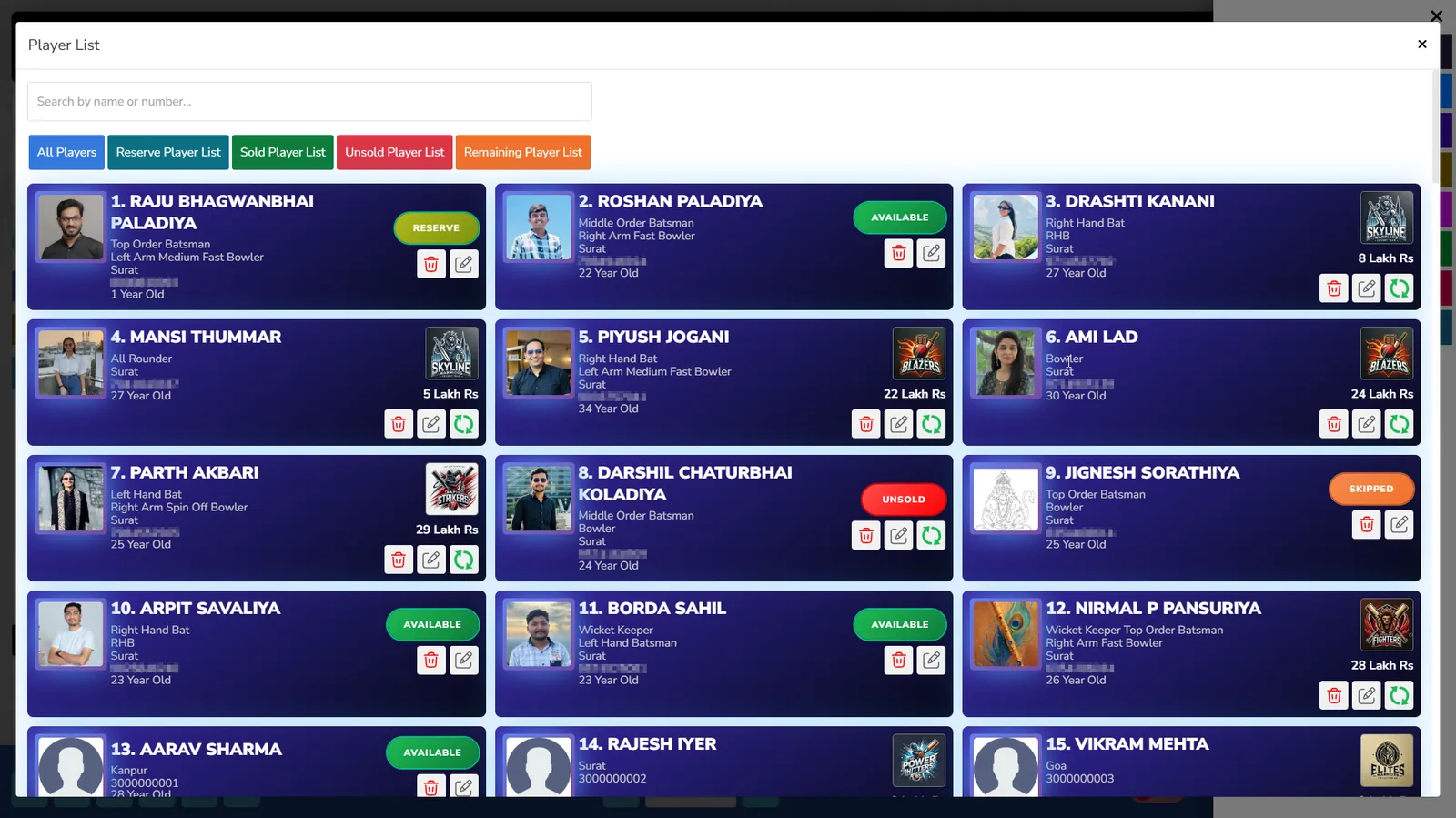
Excel is where most tournaments begin, and it works right up until it doesn't. Player names arrive by message, get typed in by hand, and then get typed in again for the auction list, again for the team sheet, and again for the scorecard. Photos sit in a separate folder. Contact numbers go out of date. Two players with the same name become one row.
With player registration and management built into the platform, a player enters their own details once. That profile is the same record the auction uses, the same record that lands in a squad, and the same record that appears in the statistics at the end of the season.
- Player profile information is centralized instead of scattered across files
- Player categories and auction rules can be set to match your tournament format
- Player lists and auction reports can be exported instead of rebuilt by hand
Manual Player Auctions Can Create Confusion
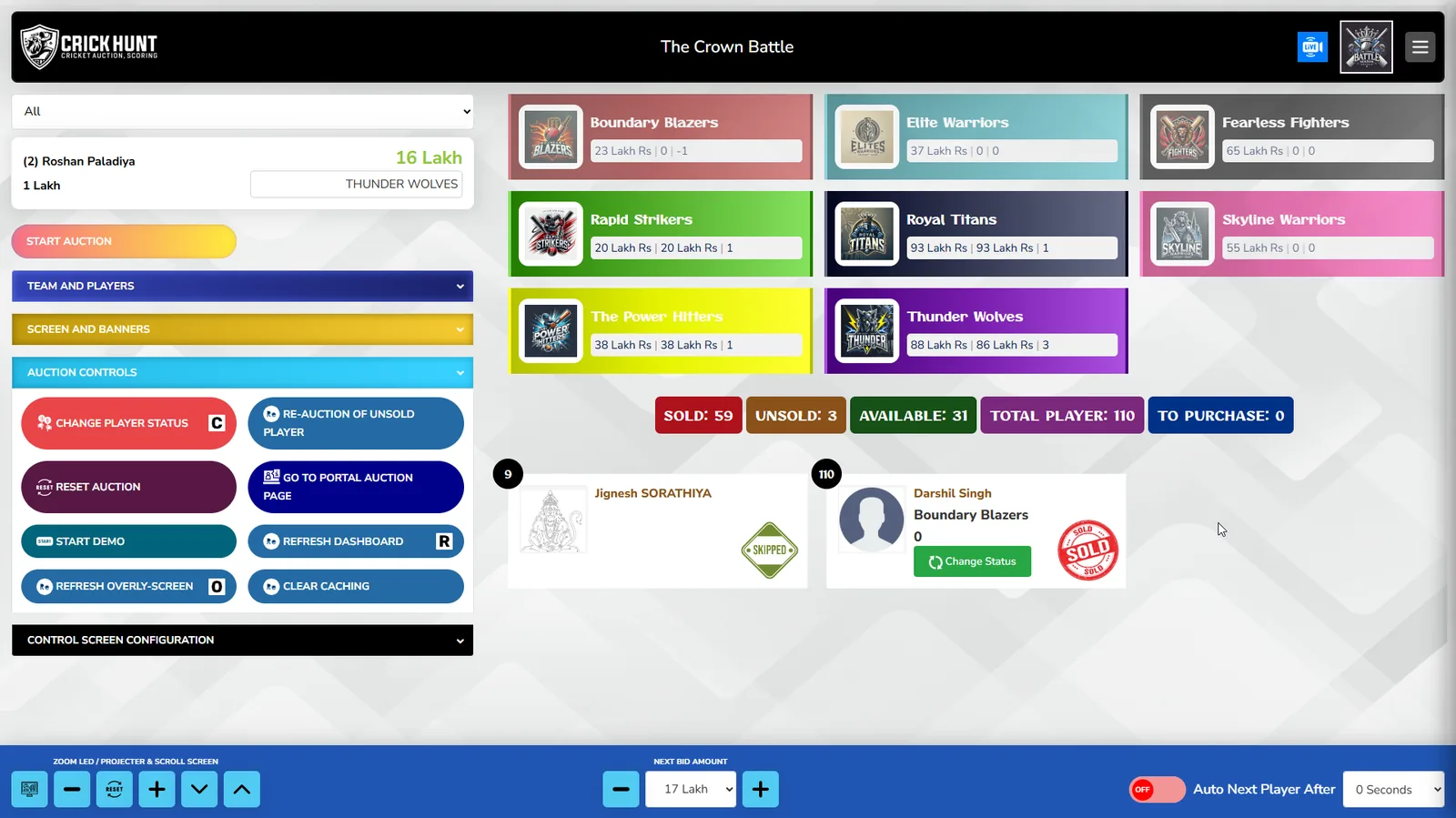
A manual auction depends on everyone in the room hearing the same thing at the same time. In practice, bids are missed, the current price is disputed, and somebody has to stop the room to check what a team has left to spend. The longer the auction runs, the more tired the arithmetic gets.
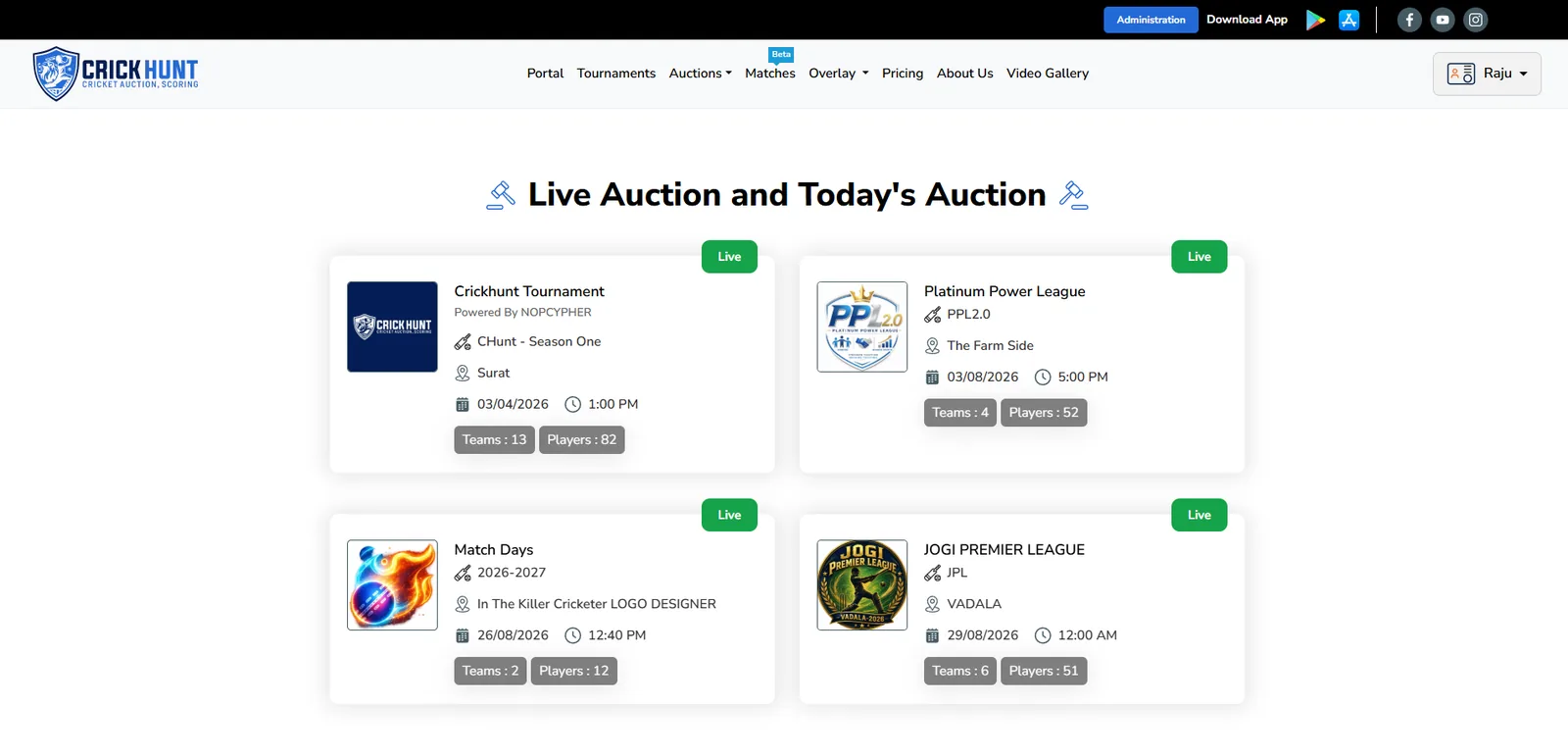
Digital player auctions fix this by putting the same information on every screen. Live player bidding with real-time updates means the current bid, the player on the block and the auction status are visible instantly — not announced and then re-announced.
Remote Team Owners Should Not Have to Travel
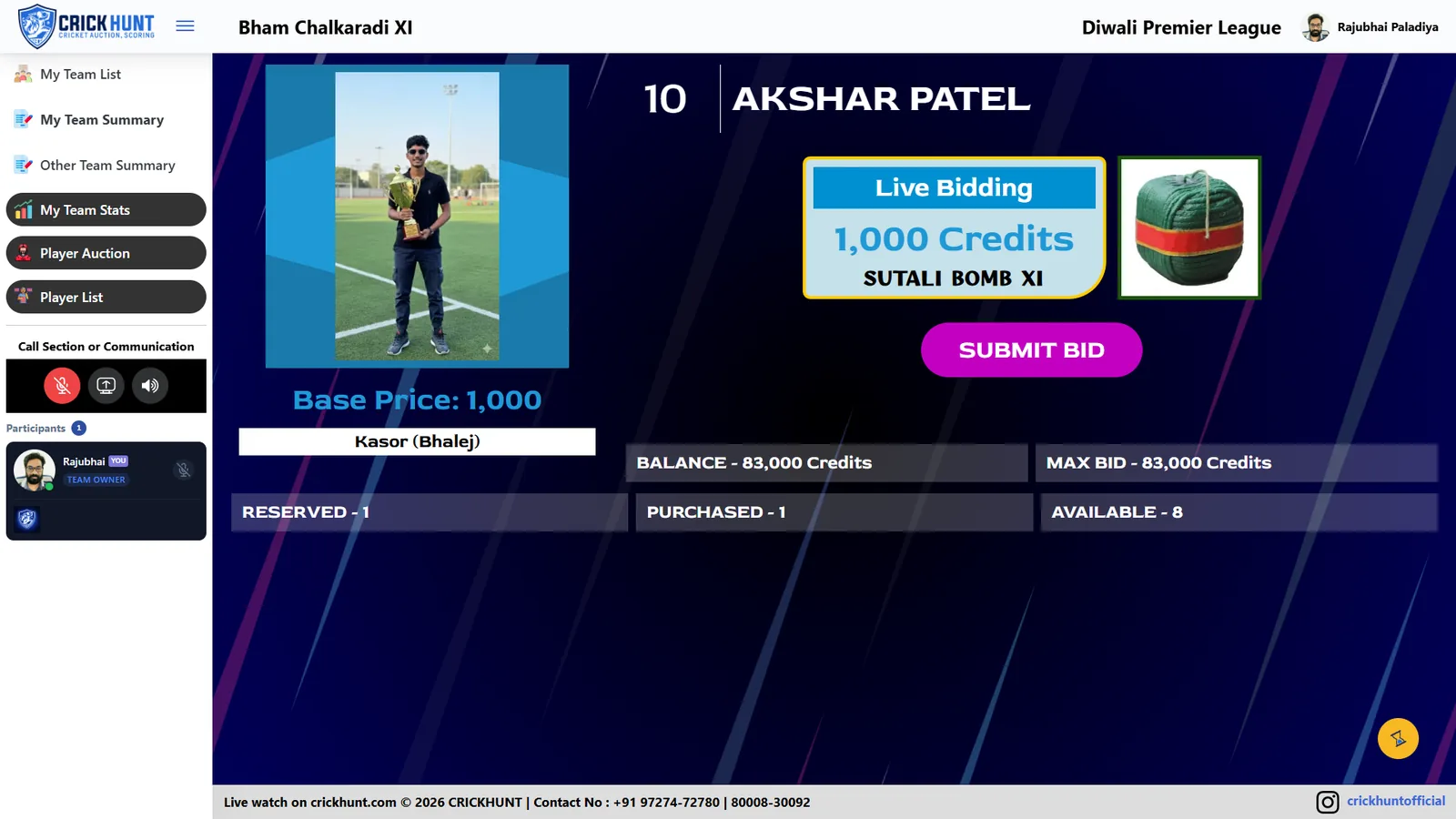
Auction day is often decided by who could get to the hall. An owner working in another city, or travelling that weekend, either sends someone to bid on their behalf or accepts whatever squad they end up with. Neither is fair to the team.
Remote bidding removes the geography. Team owners take part from a mobile, tablet or laptop from wherever they are, seeing the same live bidding, the same player information and the same remaining purse as the owners in the room.
- Owners join the auction without travelling to the venue
- Bids are placed directly rather than relayed through a proxy
- The organizer does not have to manage phone calls during live bidding
Manual Team Budget Tracking Can Lead to Errors
Team budget tracking on paper is where auctions go wrong quietly. A purse is calculated after each sale, someone forgets to subtract a bid, and three players later a team is over its limit. Unwinding that mid-auction is unpleasant for everyone.
Automatic team budget management does the arithmetic as the bids happen. Spending and remaining purse update themselves, so an owner always knows exactly what they can commit to the next player, and the organizer is not recalculating totals in the middle of the room.
Managing Tournament Information Across Multiple Platforms
A typical manual tournament lives in at least five places: a spreadsheet for players, a chat group for announcements, a printed sheet for the auction, a scorebook for matches, and someone's phone gallery for photos. Nothing is connected, so every update has to be made several times.
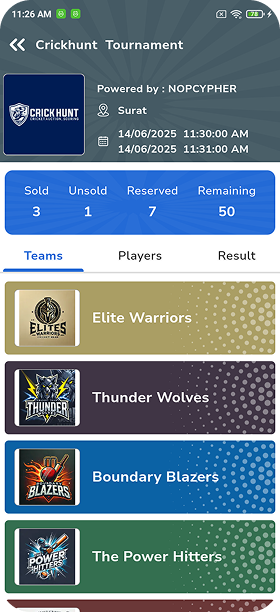
A tournament with a season-based structure keeps all of it together — players, teams, the auction, the match schedule and the results sit inside one tournament record. Update it once and everyone sees it.
- One tournament record instead of five disconnected tools
- Team and squad management flows directly out of the auction result
- Match scheduling and scoring continue inside the same platform
Manual Cricket Scoring Takes Extra Time
Paper scoring works, but it costs time twice: once at the ground while a scorer keeps the book, and again afterwards when someone types the scorecard up so it can be shared. Between those two moments, nobody who is not at the ground knows what is happening.
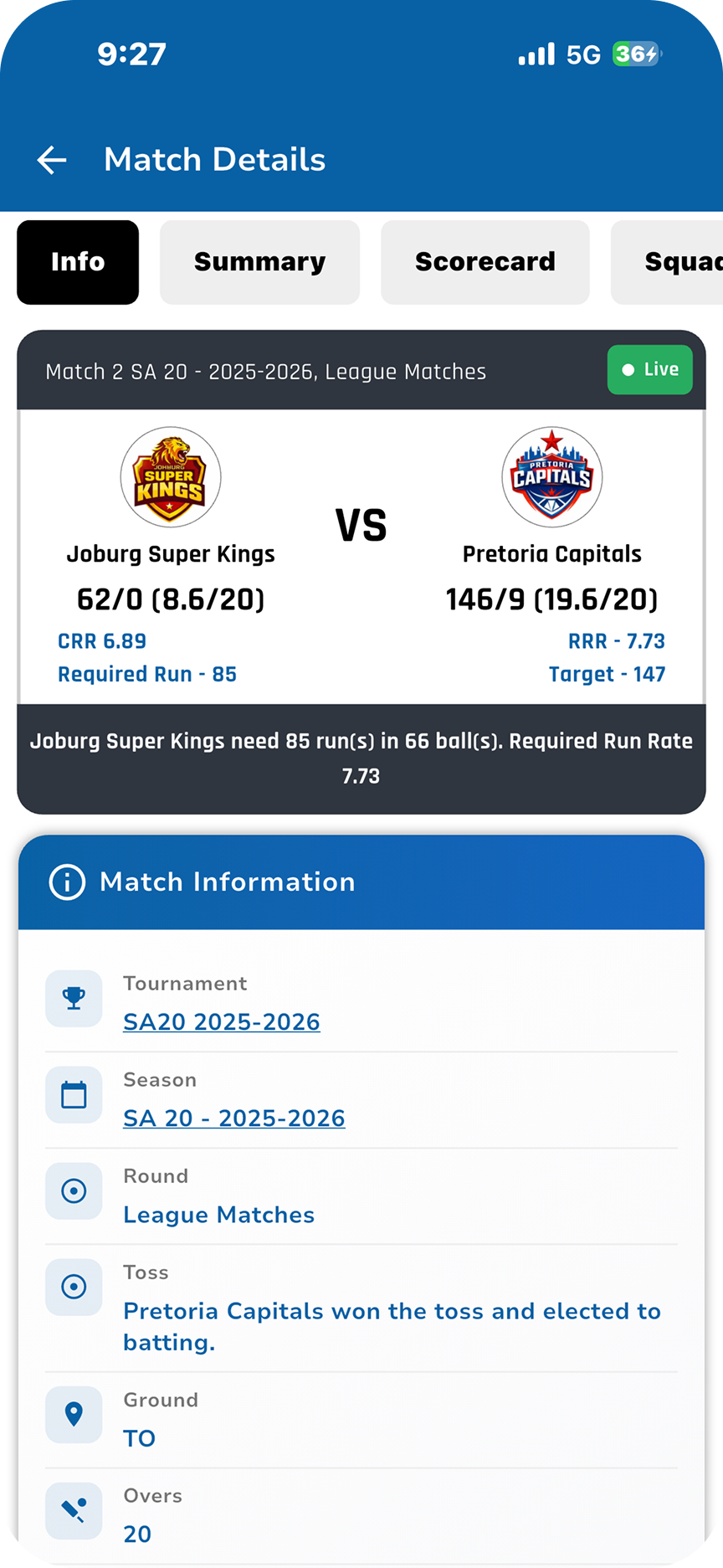
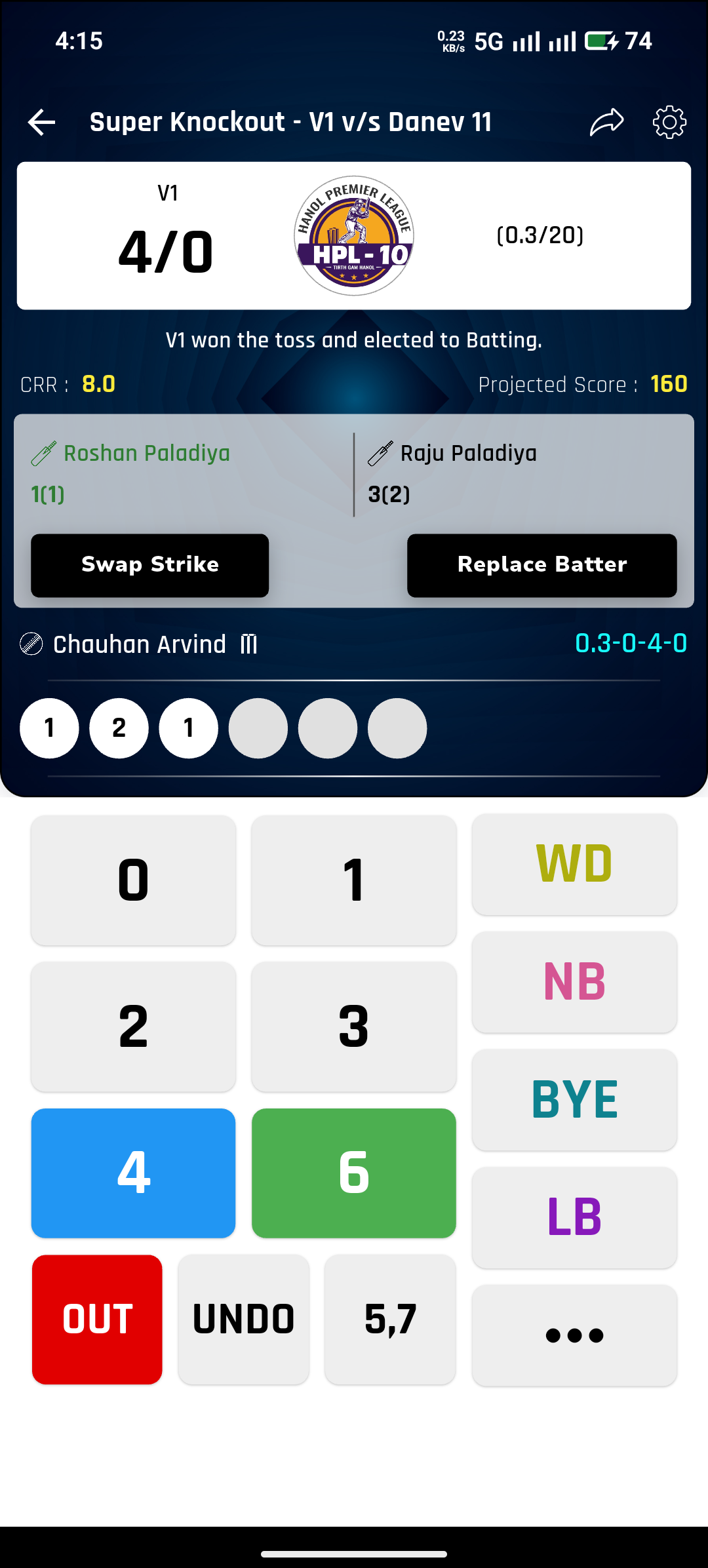
Live scoring collapses both steps into one. Ball-by-ball live scoring on a mobile-friendly interface means the scorecard is being written as the over is bowled, and the record is complete the moment the match ends.
Real-Time Updates Make Tournaments More Professional
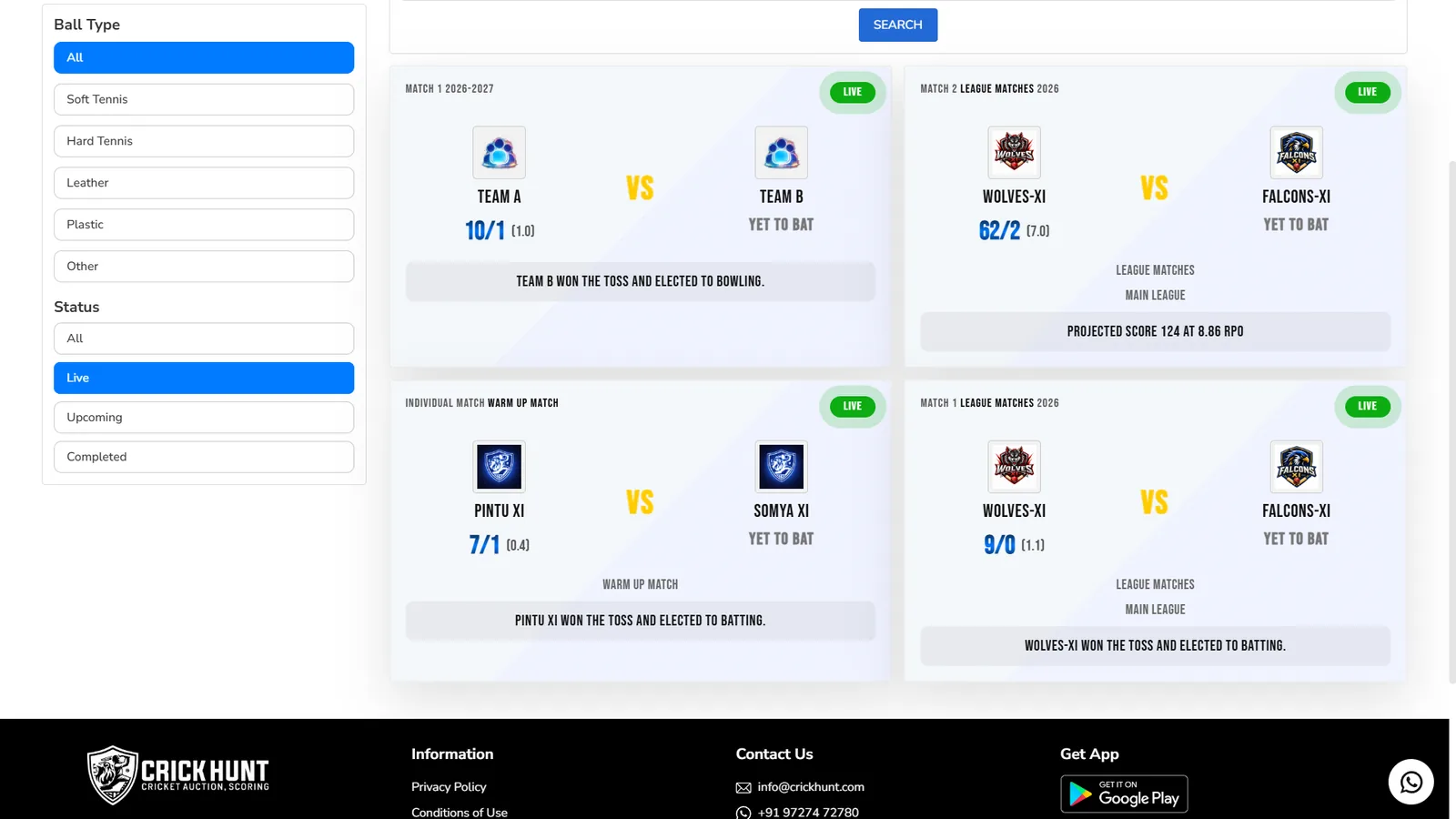
The difference between a local tournament and a professional-feeling one is often just latency. When scores update in real time, families who could not attend follow along, sponsors see their tournament being watched, and players check their own numbers without asking the organizer.
Real-time score updates also change the organizer's day. Instead of fielding messages asking for the score, the score is already public — Traditional → Smart in the most literal sense.
Professional Live Streaming and TV-Style Overlays
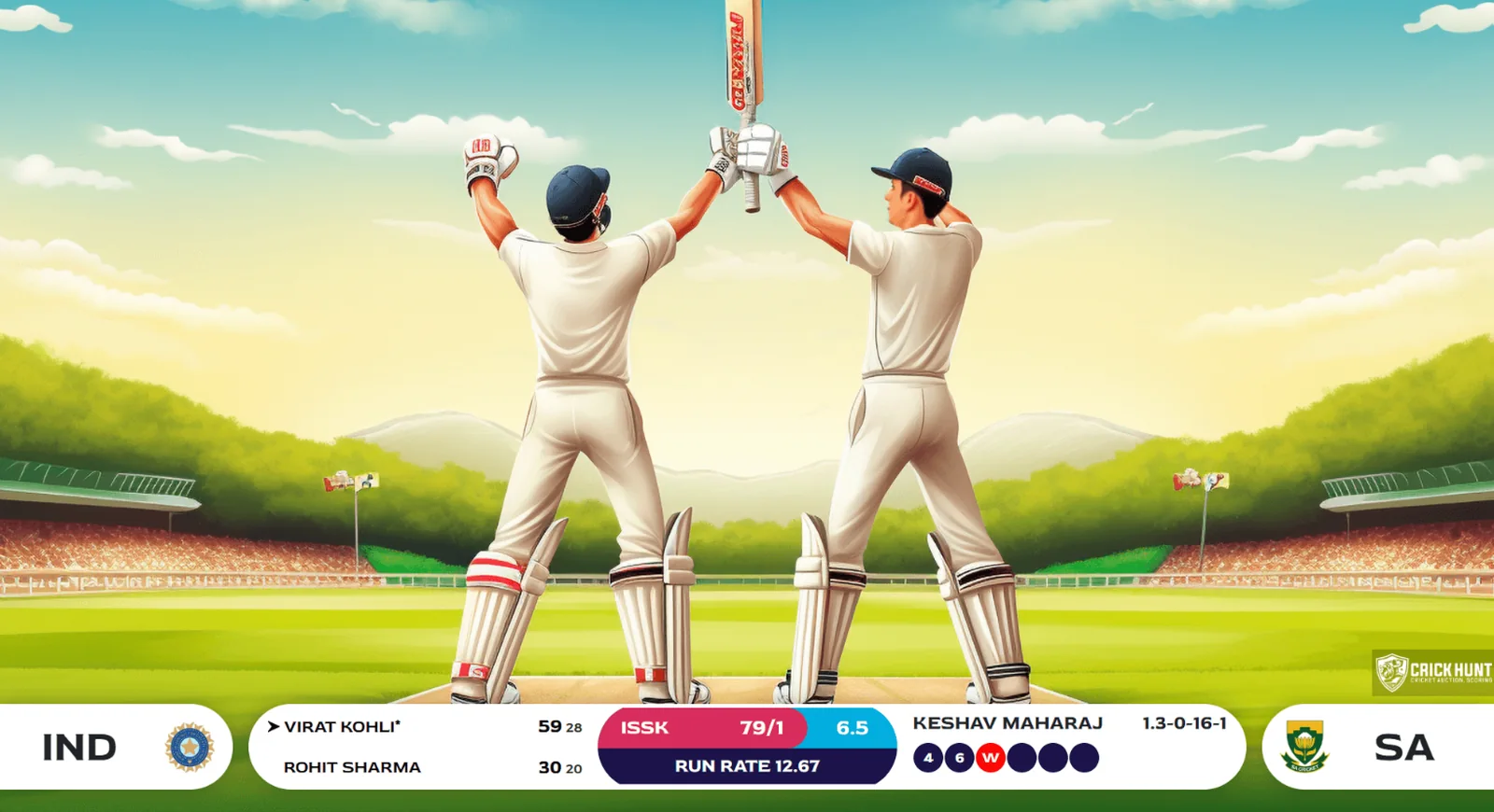
A stream without graphics is just a camera pointed at a field. TV-style overlays are what make a local match look like a broadcast — the score, the player on strike, the team names and the auction presentation rendered cleanly on screen.
CrickHunt includes premium score overlays and professional auction presentation screens, so the tournament looks the way organizers want it to look when sponsors and families are watching.
Tournament Data Should Not Disappear After the Tournament
When a season is run manually, it ends twice — once on the field, and once when the spreadsheet is lost. Next year the organizer starts again from nothing: no player history, no record of what each player went for, no tournament statistics to build on.
Keeping the tournament digital keeps the season. Match history and statistics stay attached to the tournament, auction records remain available, and auction reports and player data can be exported whenever they are needed.
- Auction records and player data remain accessible after the event
- Match history and statistics stay with the tournament
- Reports and player lists can be downloaded rather than reassembled
Real Examples from CrickHunt
Here is what the platform actually replaces, feature by feature.
Player Management
Registration and player profiles
Player Management
Easy player registration with centralized profile information, plus flexible player categories so the auction follows your tournament's rules — not a fixed template.
CrickHuntOnline Auctions
Live bidding, real-time
Online Auctions
Live player bidding with real-time updates and a live auction dashboard, so the current bid, player and auction status are visible to everyone at once.
CrickHuntRemote Bidding
Owners bid from anywhere
Remote Bidding
Team owners take part from a mobile, tablet or laptop wherever they are, with the same live view as the owners sitting in the auction hall.
CrickHuntLive Scoring
Ball-by-ball, on mobile
Live Scoring
Ball-by-ball live scoring with real-time score updates on a mobile-friendly interface, plus premium score overlays for streams and screens.
CrickHuntTeam Management
Squads and budgets
Team Management
Players are assigned to teams automatically once the auction closes, and automatic team budget management keeps spending and remaining purse accurate throughout.
CrickHuntStatistics
Match history and reports
Statistics
Match history and tournament statistics stay with the season, and auction reports and player data can be exported when you need them.
CrickHuntWhat Makes CrickHunt Easy to Use?
Software only removes manual work if the organizer can actually run it on the day. CrickHunt is built around a fast, straightforward interface designed for leagues, clubs and organizations rather than for technical administrators.
- Mobile-friendly by design — scoring and bidding work on the device already in your hand
- One place to control the auction — a live auction dashboard rather than several screens
- Rules that fit your tournament — flexible player categories and auction rules instead of a fixed format
- Nothing to reconcile afterwards — squads, budgets and statistics update themselves as the tournament runs
Manual Cricket Management vs Cricket Management Software
Side by side, the difference is not that one is modern and the other is old. It is that one asks the organizer to hold the whole tournament in their head, and the other doesn't.
Manual cricket management
- Excel
- Paper
- Manual calculations
- Manual bidding
- Separate tools
Digital cricket management
- Digital auction
- Remote bidding
- Live scoring
- Tournament management
- Statistics
Who Can Benefit from Cricket Management Software?
Anyone who runs a tournament with an auction in it — and anyone who runs one without an auction but still keeps records by hand.
Tournament organizers
Local and city tournaments where one person currently carries the whole event.
Franchise leagues
Multi-team leagues that need a real auction, real budgets and season-long records.
Corporate leagues
Company tournaments where owners are spread across offices and cities.
Cricket academies
Academies tracking player data and match performance across seasons.
Local clubs
Clubs that want a professional presentation without a professional budget.
Schools and colleges
Small tournaments that fit inside the free Standard plan's two-team limit.
How to Move From Manual Cricket Management to Digital Management
You do not need to change how your tournament works. You need to stop doing eight jobs by hand. This is the order it happens in.
Create your tournament
Set up the tournament and season so everything that follows has a home.
Register players
Players enter their own details once — no re-typing from messages into a spreadsheet.
Create teams
Add the teams and their owners, and set the budget each of them will bid with.
Run player auction
Live bidding with real-time updates, controlled from a single auction dashboard.
Enable remote bidding
Owners who cannot attend bid from their own device with the same live view.
Manage matches digitally
Schedule matches and score them ball by ball instead of on paper.
Track statistics
Match history and tournament statistics build themselves as the season runs.
Share professional updates
Real-time scores and TV-style overlays put your tournament in front of everyone following it.
Why Easy-to-Use Software Is Better Than More Manual Work
The instinct when a tournament gets harder to run is to work harder — another spreadsheet, another volunteer, another chat group. That scales badly. Each addition creates one more place where information can be wrong.
Easy-to-use software scales the other way. The same platform that runs a two-team tournament runs a thirty-team league, because the work that grows — data entry, budget arithmetic, scorecard typing, record keeping — is the work the software is doing. Moving from Excel → Automated does not make your tournament more complicated. It makes it smaller to run.
FAQs
What is cricket tournament management software?
Cricket tournament management software is a single platform that handles the work an organizer would otherwise do by hand: player registration, player auctions, team and squad management, budget tracking, match scheduling, live scoring and tournament statistics. Instead of keeping the tournament in spreadsheets, chat groups and paper sheets, everything lives in one connected system.
How does cricket software reduce manual work?
It removes the re-entry. A player registers once and that profile carries through to the auction, into a squad, onto the scorecard and into the tournament statistics. Team budgets update automatically as bids are placed, squads build themselves as players are sold, and reports can be exported instead of assembled by hand.
Can cricket auction software support remote team owners?
Yes. CrickHunt supports remote participation, so a team owner can join the auction and place bids from a mobile, tablet or laptop wherever they are. They see the same live bidding, the same player information and the same remaining purse as the owners sitting in the hall.
Can CrickHunt manage live cricket scoring?
Yes. CrickHunt includes ball-by-ball live scoring with real-time score updates and a mobile-friendly scoring interface, along with premium score overlays, match history and statistics.
Is CrickHunt available for small cricket tournaments?
Yes. The Standard plan covers up to 2 teams at no cost, and paid plans scale up from 4 teams to 30 teams, so a small local tournament and a large league can both use the same platform.
Can tournament organizers access their auction data later?
Yes. Auction records, player data, squads, match history and statistics stay with the tournament, and auction reports and player lists can be exported, so the season does not disappear when the final is over.
Ready to Stop Managing Your Cricket Tournament Manually?
Move from spreadsheets and manual processes to a smarter digital workflow with CrickHunt.