Web + App Boards, quotations and calendar in one place

The CRM for the business side of cricket.

Turn every enquiry into a card, move it through stages you define, quote from your own price list and see every date on one Master Calendar.
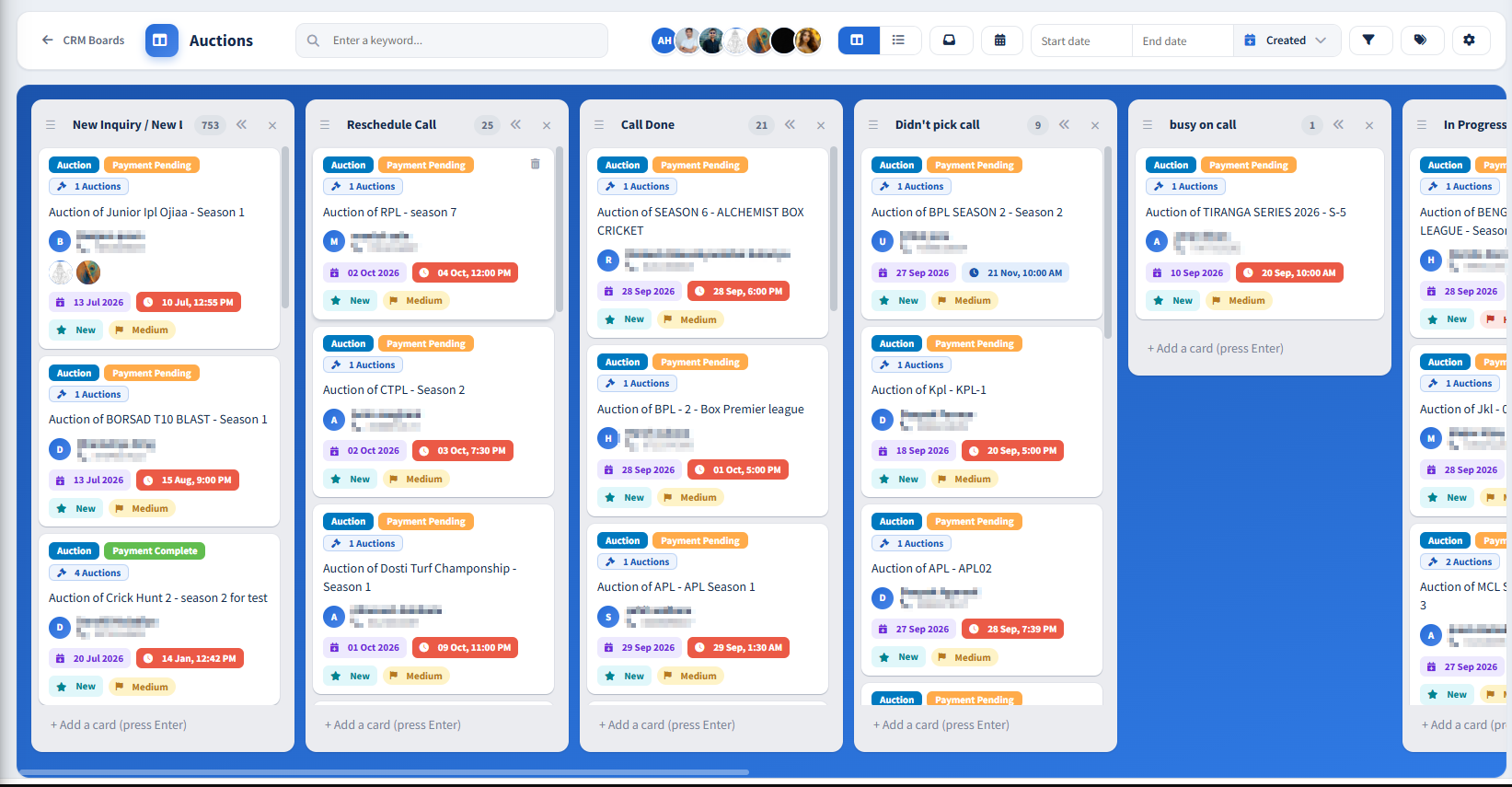
Grid view
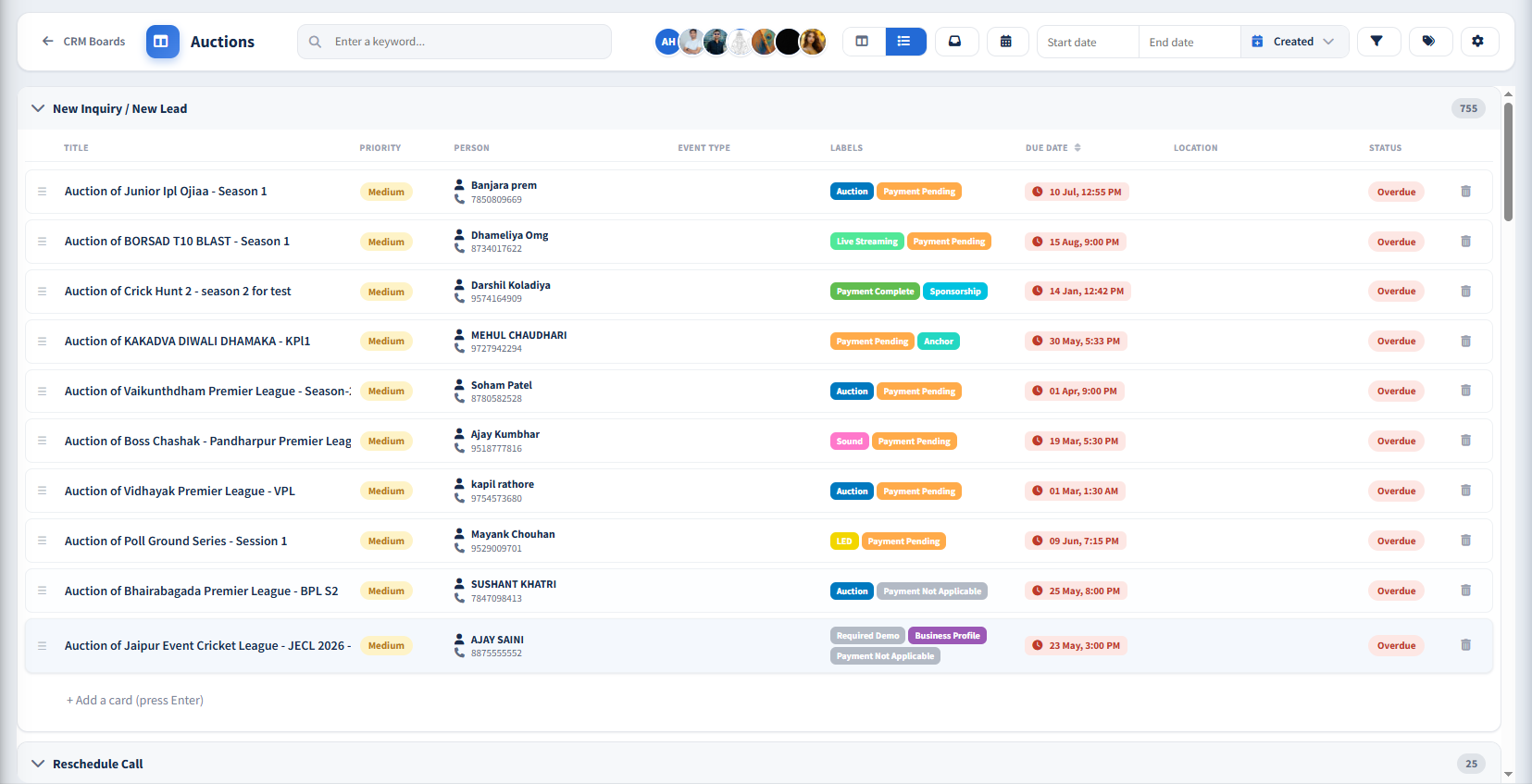
List view
Calendar view
Quotation view
Price list view

Grid view — each stage a column, each enquiry a card with labels, person, dates and priority.

Enquiries arrive on calls and WhatsApp. Prices live in someone's head. Dates sit in three diaries. CrickHunt puts every job on a board, every quote on the card and every date on one calendar.

Full visibility Every enquiry and its stage at a glance, on any board.
Less admin Prices, totals, dates and history are filled in for you.
Professional quotes Branded quotations, ready to download or share.
Fewer missed dates Overdue flags and one calendar across all boards.
How it works

Five steps from first call to job done

You decide the boards and stages. CrickHunt keeps the details, quote, dates and history on the card.

Create a board One per business line — auctions, events, internal work.
Define your stages e.g. New Inquiry → Today Plan → In Progress → Done.
Add a card Type a title, press Enter. Add the person, labels, location and due date.
Quote the job Pick services from Manage Price, then download the PDF or share it.
Deliver on the date Track it on the Master Calendar and move it to Done.
Try it — move one enquiry across the board Sample data. Each move is written to the card's activity.
New Inquiry 2
Auction Premier League
Auction anchoring – 8 team league Raju · 80008 30092
High 31 Jul, 11:30 AM
Venue
LED screen for final day
Medium 04 Aug, 1:40 PM
Today Plan 1
Sound
Sound system – full day
Medium 28 Jul, 9:00 AM
In Progress 1
Auction
Auction service – 1 team
Low 21 Jul, 2:25 PM
Done 1
Scoring
Live scoring setup
Medium 20 Jul, 1:32 PM
Comments and activity
Raju added this card to New Inquiry 20 Jul, 10:02 AM
Features

Five tools that already work together
Also on every board Built in — nothing to set up.
Multiple boards A board per business line, each with its own stages.
Grid, List & Calendar Switch any board's view in one click.
Colour labels Tag by client, project or service; manage from the board.
Priority & due dates Low, Medium or High. Overdue cards are flagged.
Todo / Inbox Capture a quick task without picking a stage.
Search & filters Find any card by keyword or date range.
Location Search a venue, pick on map, or open in maps.
Comments & activity Discuss on the card; every update is logged.
Quotations & Invoices

Price list in. Branded quotation out.

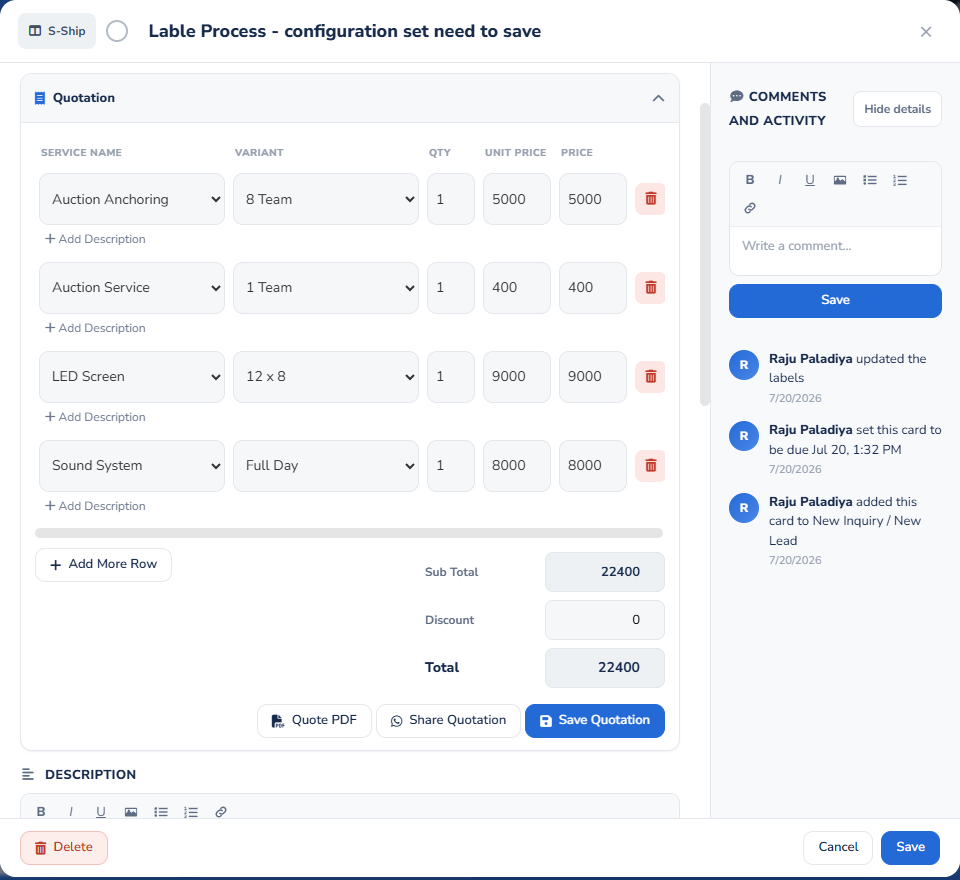
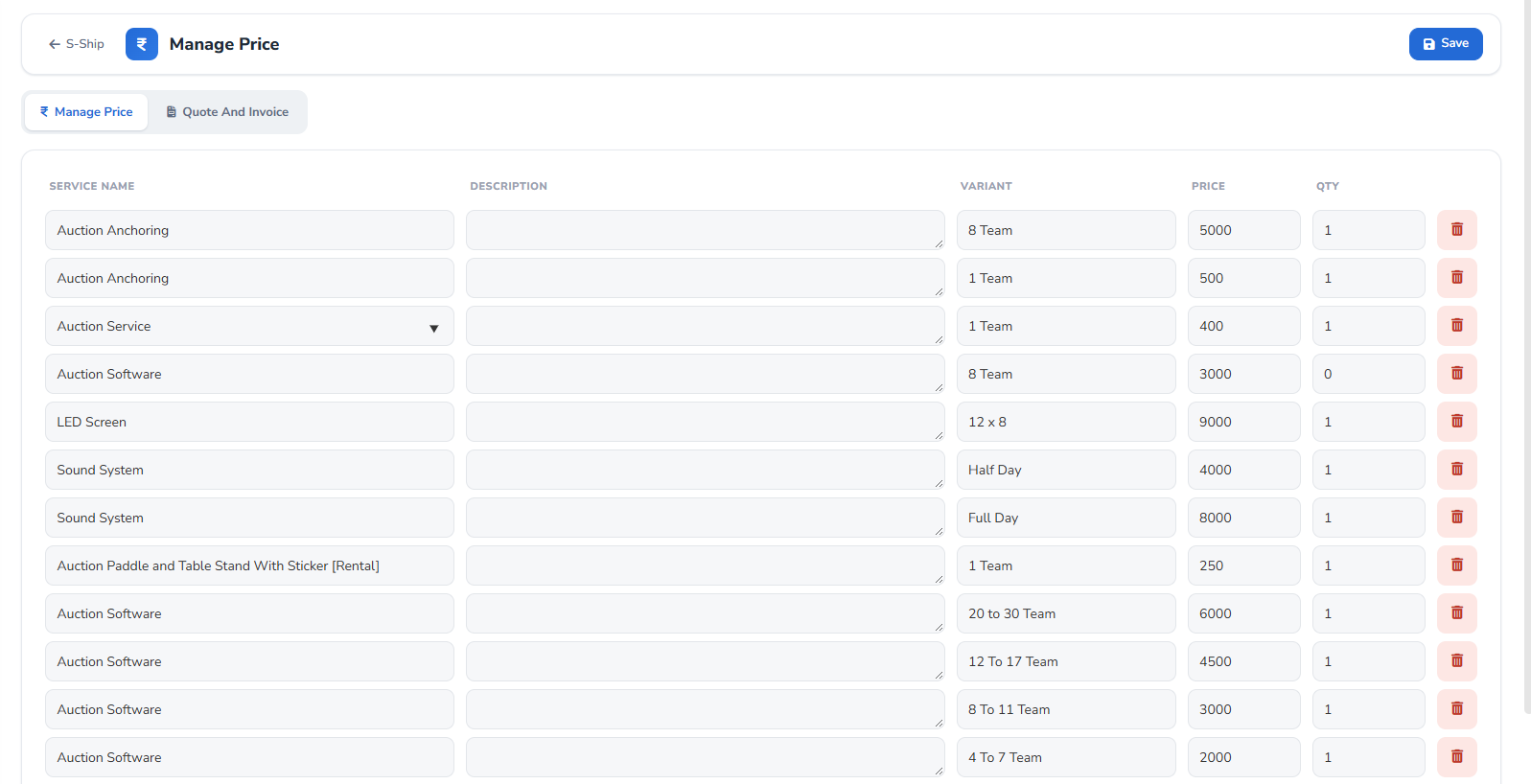
Set your services once. Every quotation is built from them inside the card, totalled for you and sent with your business details.
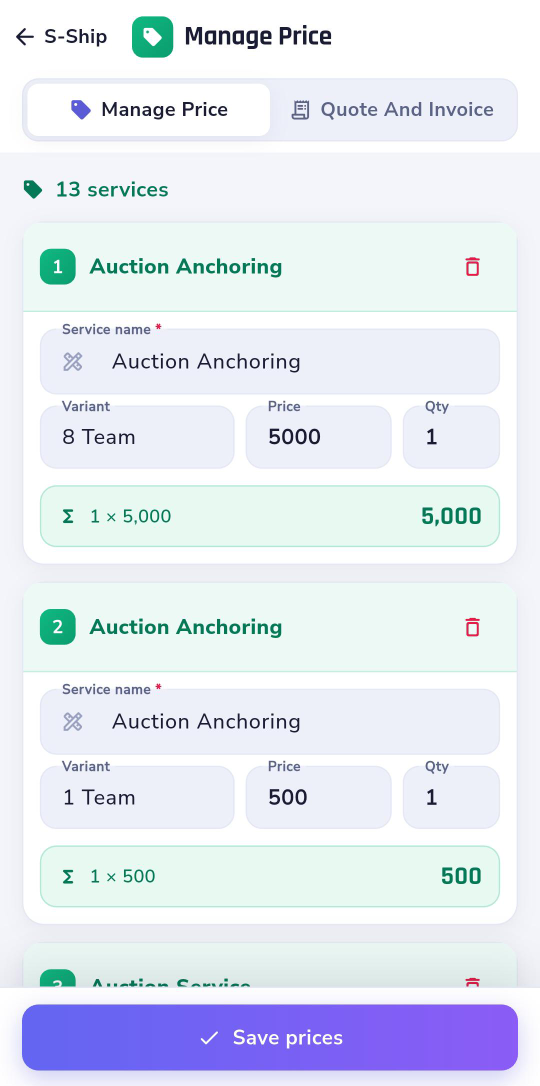
Set up Manage Price
Build it on the card
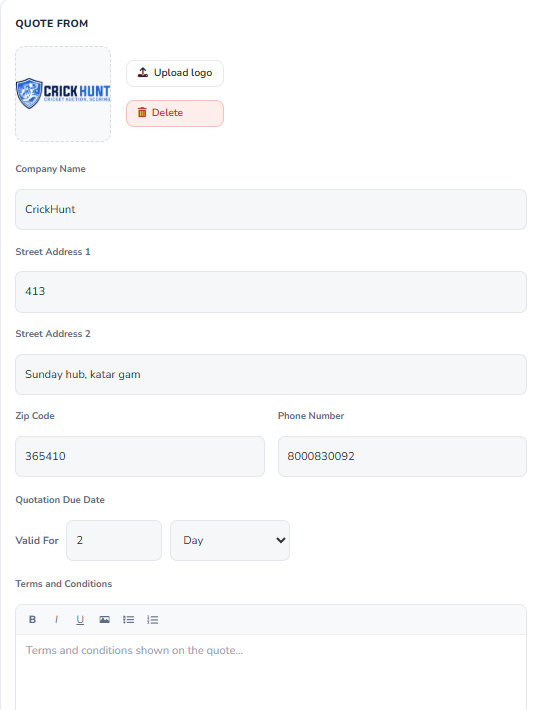
Brand it once
Download, share, or edit on the go
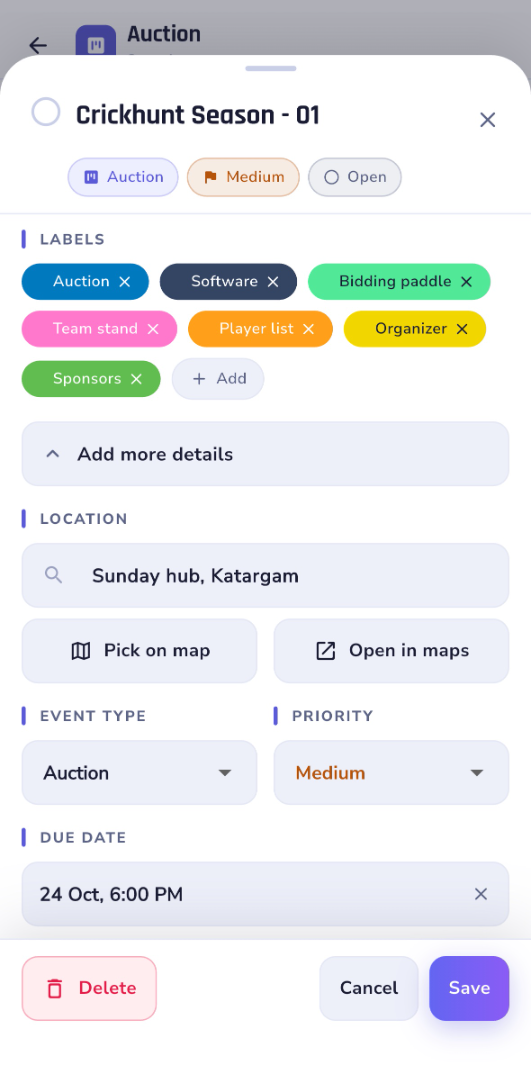
Card details in the CrickHunt app
Customers & follow-ups

Everything about the job, on the card

Anyone on the team can open a card and pick up where you left off — who it's for, where it is, how urgent and when it's due.

Labels As many colour labels as you need — e.g. Auction, Software, Sponsors, Player list.
Person & phone The customer you're dealing with, shown right on the board card.
Location Search the venue, Pick on map, or Open in maps.
Event type Classify each card, e.g. Auction or Photographer.
Priority Low, Medium or High — visible on every card.
Due date & time Shows on the card and calendar; overdue cards are flagged.
Comments & activity Notes from the team and a log of every change.
Event Calendar

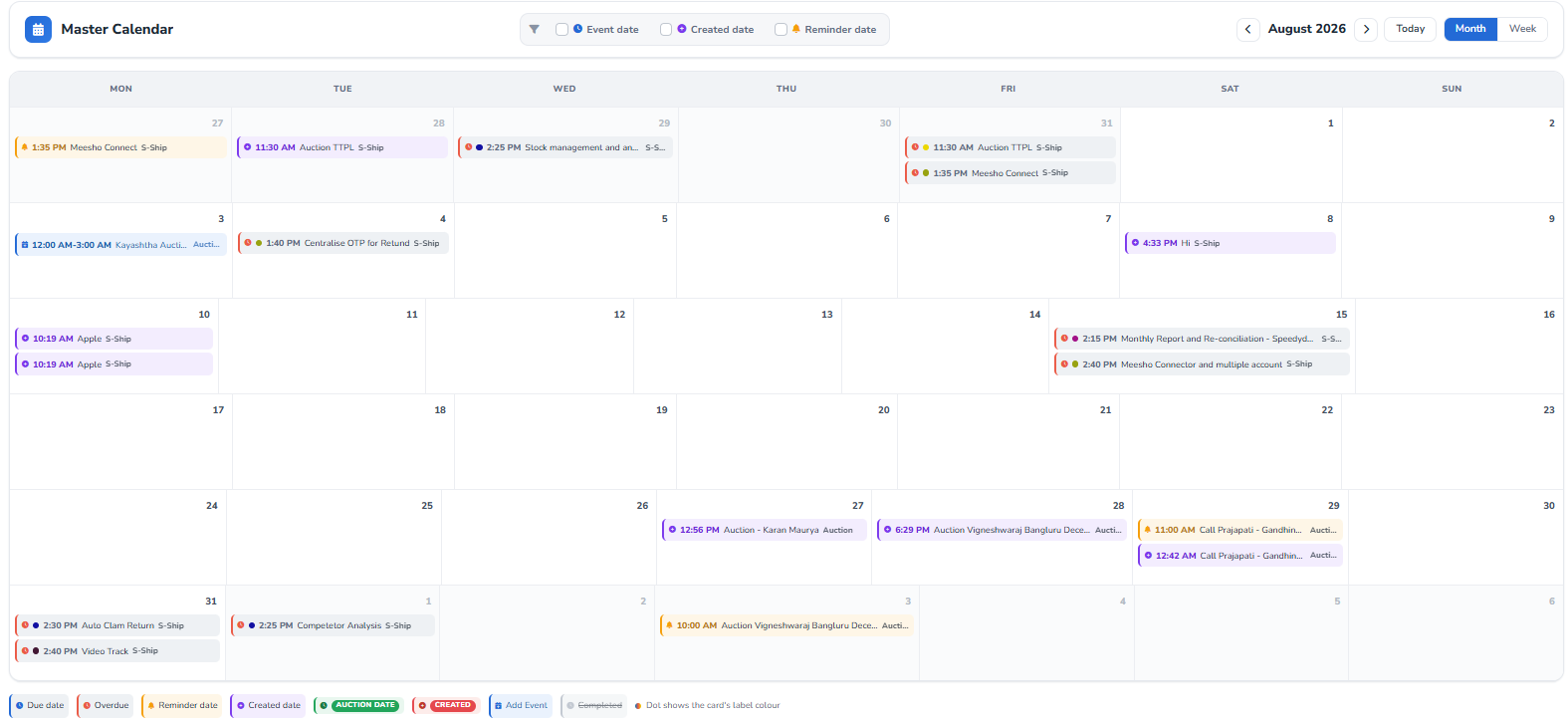
Every board's dates on one Master Calendar

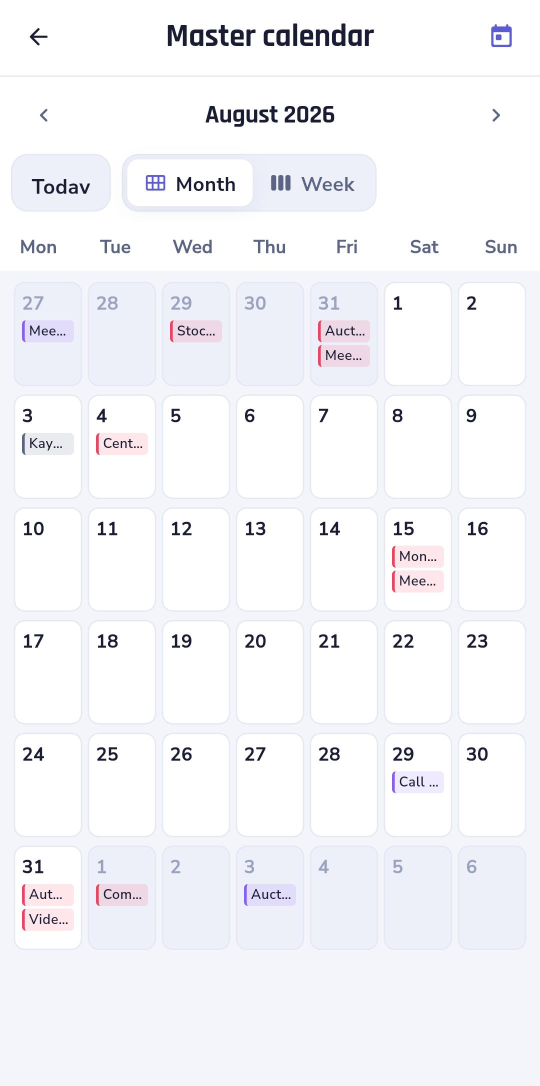
Cards from all boards appear with their time and board name. Switch Month or Week, jump to Today, filter by Event, Created or Reminder date.
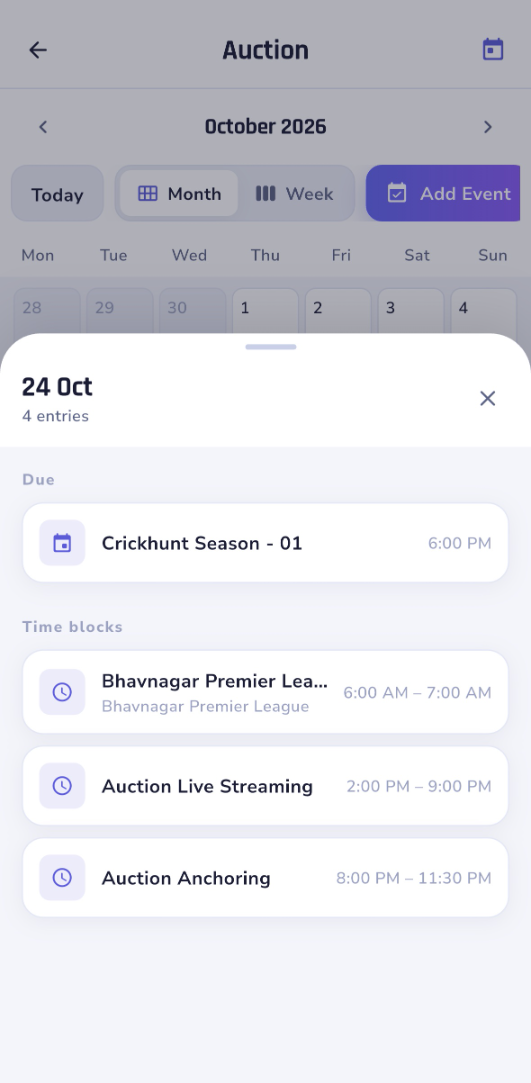
Master Calendar month view
Day entries in the app
In the app, tap a day to see its due cards and time blocks.
Due date Overdue Reminder date Created date Auction date Completed
Use cases

One setup, many kinds of cricket business

Auction organisers
Track each auction enquiry from first call to auction day, with the organiser's contact and the auction date on the card.
Example stages
New Inquiry
Quoted
Confirmed
Done
Event & production services
Quote anchoring, LED screens and sound from your price list, and see every booking on the calendar.
Example stages
Enquiry
Site visit
Booked
Delivered
Teams & internal projects
Run your own work on a board: labels per client or module, priority, due dates and a shared activity trail.
Example stages
Todo
Today Plan
In Progress
Done
Website & mobile app

At the venue, on the road, at your desk

The boards you set up on the website are in the CrickHunt app too — same login, same cards.
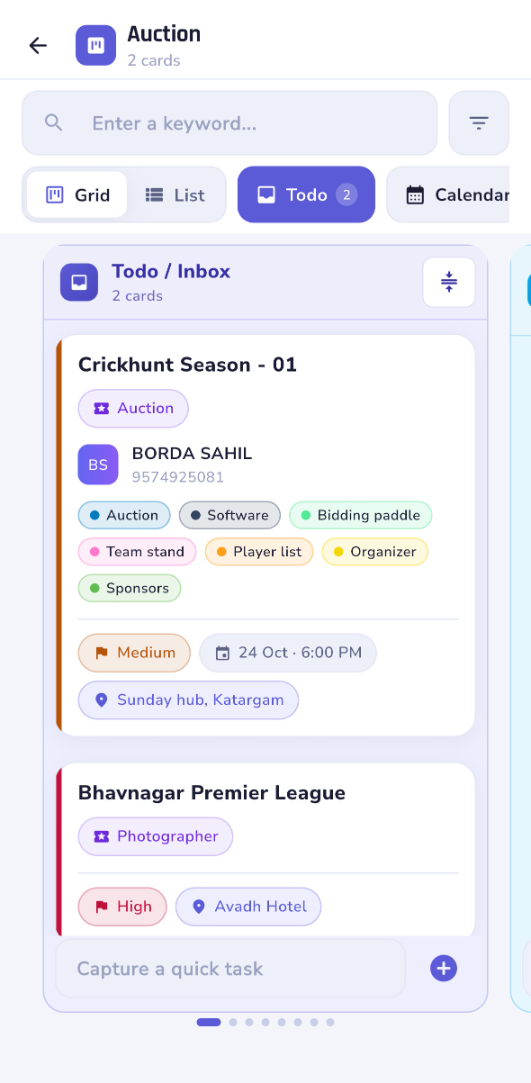
Todo / Inbox
Todo / Inbox Quick tasks with labels, priority and location.
Edit card details
Edit card details Labels, location, event type, due date.
Manage prices
Manage prices Line totals as you type.
Master calendar
Master calendar Month and Week views.
Day entries
Day entries Tap a day to see what's due.
Download the CrickHunt app Log in with your CrickHunt account — your boards, cards, prices and calendar are already there.
Getting started

Set up your first board in minutes

CRM is already in your CrickHunt account menu. Work through this checklist in order — tick items off as you go.

Open CRM
Setup checklist 0 of 5 done
FAQ

Questions, answered

Anyone running the business side of cricket on CrickHunt — auction organisers, event and production service providers, and teams tracking their own projects. If you take enquiries, send quotations and work to dates, it fits.
Yes. Create a separate board for each part of your business and name its stages to match how you work. Open any board from CRM Boards.
Drag it on the board, or change it from the card. Every move is recorded in the card's Comments and Activity, along with label and due-date changes.
Add your services and variants in Manage Price once. When you build a quotation on a card, each row's price fills in from that list; sub total, discount and total calculate automatically. Then download the Quote PDF or share it.
Cards from all your boards, with their time and board name. You can filter by Event date, Created date or Reminder date, and switch between Month and Week views.
Yes. Boards, Todo, card details, Manage Price and the calendar are all available in the CrickHunt app, so what you set up on the website is with you on the go.
From Quote And Invoice settings: your logo, company name, address, zip code, phone number, quotation validity and terms and conditions.

Put your next enquiry on a board.

CRM & Business comes with your CrickHunt account. Open CRM from the menu to create your first board.